
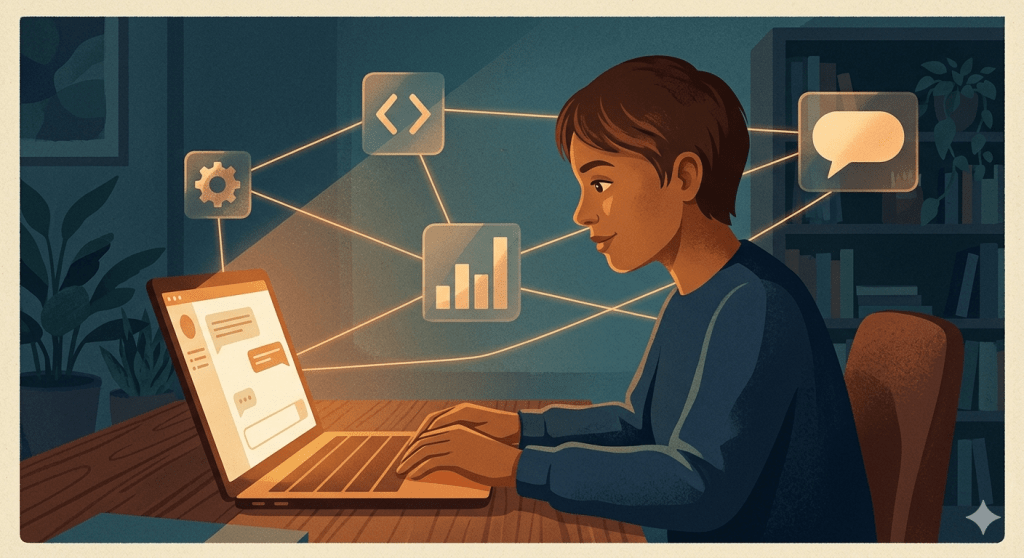
One of the most common threads running through the comments on this blog is a version of the same question: can AI actually help me learn something from scratch? Not just look things up. Not just explain a concept once. But genuinely accelerate how fast you go from zero to capable.
The answer is yes — but only if you use it the right way. There’s a version of AI-assisted learning that produces nothing but a false sense of progress. And there’s a version that genuinely compresses weeks of confusion into days of clarity. This post is about the second one.
Why AI Is Unusually Good at Teaching
A good tutor does a few things a textbook can’t: they adapt to your level, they answer follow-up questions instantly, they don’t get frustrated when you ask the same thing three different ways, and they explain concepts differently if the first explanation didn’t land.
AI does all of that. And it’s available at 11pm when you’ve finally got an hour to sit down and focus. That combination — patience, adaptability, and availability — is genuinely transformative for self-directed learning. One commenter on this site put it well: “AI as a tutor that never gets frustrated and always explains things a different way if the first explanation doesn’t land is genuinely transformative for learning.”
But there’s a trap. If you use AI purely to get answers — paste in questions, read the output, move on — you’ll feel like you’re learning while mostly just consuming. The skill isn’t going in. For AI to actually teach you, you have to use it more like a sparring partner than a search engine.
Step 1: Define the Smallest Useful Version of the Skill
The first mistake most people make when learning something new is defining the goal too broadly. “I want to learn SQL” is a three-year project. “I want to be able to write a query that filters and sorts data from a single table” is a weekend.
Start with this prompt:
I want to learn [skill]. I’m a complete beginner. What’s the smallest version of this skill that would actually be useful? Give me a 3-step learning path to get there in [timeframe].
AI is excellent at scoping. It will give you a realistic, sequenced path instead of a firehose of everything you could possibly learn. Lock in that scope and commit to it before you learn anything else.
Step 2: Learn by Doing, Not by Reading
This is where most AI-assisted learning falls apart. People ask AI to explain a concept, read the explanation, nod along, and then discover a week later they can’t actually do the thing.
The fix is simple: immediately after any explanation, ask AI to give you a problem to solve. Then solve it. Then show AI your solution and ask it to critique it.
The loop looks like this:
- Ask AI to explain concept X
- Ask AI to give you a beginner exercise that uses concept X
- Do the exercise on your own — don’t look at the answer yet
- Show AI your attempt and ask: “What did I get right? What’s wrong? What would a more experienced person do differently?”
- Fix it. Then ask for a slightly harder version of the same exercise.
This is the difference between AI as a vending machine and AI as a coach. The exercises don’t have to be long. Even five minutes of active practice after each concept will dramatically accelerate retention.
Step 3: Use AI to Unstick Yourself, Not to Skip Ahead
When you get stuck — and you will — there’s a right way and a wrong way to use AI.
The wrong way: paste in the problem and ask for the answer. You’ll get unstuck in thirty seconds and learn nothing.
The right way: describe where exactly you’re stuck, what you’ve already tried, and what you think the problem might be. Ask AI to give you a hint or point you in the right direction — not the full solution.
I’m trying to [do X]. I’ve tried [approach A] and [approach B]. I think the issue might be [hypothesis], but I’m not sure. Can you give me a hint without solving it for me?
That framing produces a very different response than just asking for the answer — and it keeps the struggle, which is where actual learning happens.
Step 4: Build a Real Thing, Even a Small One
At some point in your learning, switch from exercises to a tiny real project. Not a tutorial. Something you actually want to exist.
Readers of this blog have done exactly this: one person built a study quiz site for their daughter using GitHub Copilot, from scratch, in about an hour. Another deployed a small app from their phone using Vercel. These weren’t experts. They were beginners who used AI to close the gap between “I understand the concept” and “I built a thing.”
A real project forces you to encounter the problems that tutorials skip — and AI is remarkably good at helping you navigate those unexpected problems without just writing the whole thing for you.
Step 5: Ask AI to Test Your Understanding
One of the most underused features of AI as a learning tool is the ability to simulate a quiz or oral exam. Once you’ve been at a skill for a week or two, try this:
I’ve been learning [skill] for [timeframe]. Can you quiz me on the core concepts? Ask me one question at a time, wait for my answer, tell me if I got it right, and then ask the next one. Be honest about gaps in my understanding.
This is the same principle as using AI for interview prep — you get immediate, honest feedback in a low-stakes environment. It surfaces gaps you didn’t know you had, which is far more valuable than reviewing things you already understand.
The Skills This Works Best For
To be honest, not all skills are equally well-suited to AI-accelerated learning. The approach above works best for:
- Technical skills where there are clear right and wrong answers (SQL, Python, Excel formulas, HTML/CSS, data analysis)
- Writing skills where AI can give specific feedback on structure, clarity, and tone
- Communication skills like public speaking prep, negotiation, or interview practice — where AI plays a credible sparring partner
- Conceptual domains like finance, economics, or history where you want to understand systems, not just facts
It works less well for purely physical skills, anything requiring embodied practice, or fields where the judgment calls are so context-dependent that no amount of AI explanation replaces real-world exposure.
One More Thing: Pace Yourself on AI Reliance
As you get better, try to reduce how often you ask AI for help. This sounds counterintuitive, but the goal is always to get the knowledge out of AI and into your own head. If you’re three months into learning SQL and still asking AI to write every query, the tool has become a crutch rather than a teacher.
A good test: can you explain this concept to someone else without AI’s help? Can you solve a new problem you haven’t seen before? If yes, you’ve actually learned it. If no, the work isn’t done yet — and that’s okay. That just means it’s time for more practice.
Start Today
Pick one skill you’ve been meaning to learn. Open ChatGPT or Claude. Run the scoping prompt from Step 1. See what comes back.
You don’t need a course. You don’t need a study plan. You need a good first question and thirty minutes. AI will handle the rest — as long as you stay in the driver’s seat.
What skill are you working on right now? Drop it in the comments and I’ll suggest a few prompts to get you started.


Leave a comment