
Today’s word prompt is functional. It’s a word that sounds boring — until you realize most people’s AI workflows aren’t.
You’ve got ChatGPT open in one tab, Gemini in another, maybe Claude somewhere in your bookmarks. You paste things back and forth. Sometimes it works great. Sometimes you spend 20 minutes wrestling with a prompt and end up doing the task yourself anyway.
That’s not a functional AI workflow. That’s just chaos with extra steps.
What Does “Functional” Actually Mean?
A functional AI workflow has three qualities:
- It saves you time — not just occasionally, but consistently.
- It produces usable output — not something you have to completely rewrite.
- It fits your actual life — meaning you’ll actually use it again tomorrow.
Most people only hit one or two of these. Here’s how to use AI itself to close the gap.
Step 1: Audit What You’re Actually Using AI For
Open your favorite AI tool and paste in this prompt:
“I want to audit how I use AI tools. Ask me 5 questions about my daily tasks, then tell me which ones AI could handle better than I’m currently letting it, and which ones I should probably just do myself.”
This turns the AI into a consultant instead of just a task executor. You’ll often be surprised by what it surfaces — tasks you never thought to delegate, and tasks you’ve been over-relying on AI for.
Step 2: Build a “Good Enough” Prompt Library
The biggest friction in most people’s AI workflows isn’t the AI — it’s starting from scratch every time. A functional workflow means having a small set of prompts that reliably work for your most common tasks.
Try this:
“Here’s a task I do regularly: [describe it]. Write me a reusable prompt template I can use every time, with placeholders in brackets for the parts that change.”
Save the output in a simple notes app. Over time, you’ll build a personal toolkit that makes every session faster.
Step 3: Use AI to Evaluate Your AI Use
This one feels a little meta, but it works. At the end of a work session, paste this into your AI tool:
“Here’s what I used AI for today: [list your tasks]. Rate each one on a scale of 1–5 for how well AI was suited to that task, and suggest one way I could improve my approach for the lowest-rated ones.”
It only takes two minutes, and after a week you’ll have a clear picture of where AI is genuinely helping you versus where you’re using it out of habit.
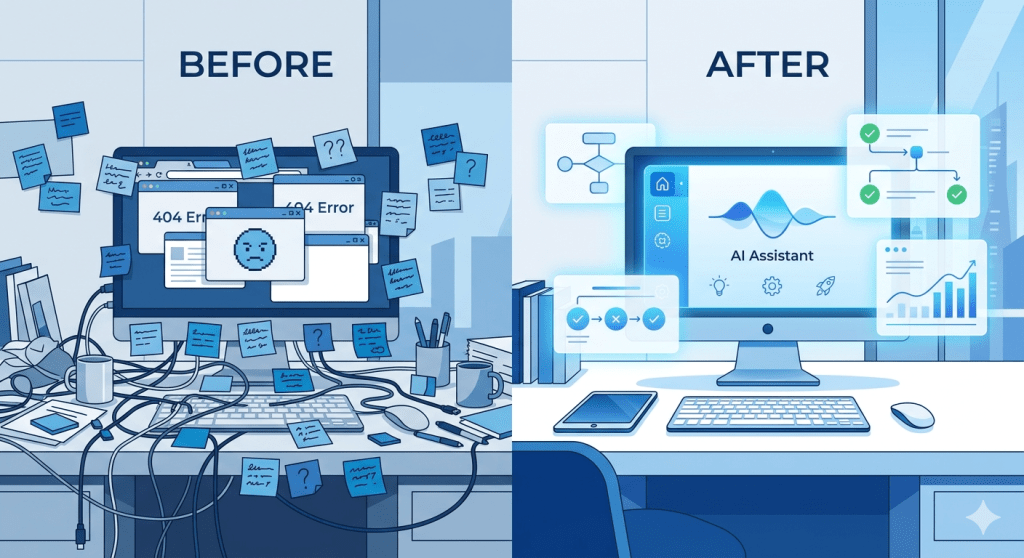
Bonus: Visualize Your Workflow with Nano Banana
If you haven’t tried Nano Banana yet — Google’s Gemini-powered image generator — it’s worth a look, especially for people who learn visually. You can access it inside Gemini by selecting the 🍌 “Create images” option from the tools menu.
Here’s a prompt to try that ties directly into today’s theme:
“A clean, modern digital workspace split into two halves — on the left, a cluttered desk with tangled wires, sticky notes everywhere, and multiple open browser tabs showing confusion; on the right, the same desk transformed with a glowing AI assistant interface, organized tools, and a simple streamlined workflow. Flat design illustration style, blue and white color palette, tech-forward aesthetic.”
Use the result as a visual reminder of what a functional workflow looks and feels like — or drop it into your next presentation or blog post.
The Bottom Line
“Functional” doesn’t mean perfect. It means it works, consistently, for you. Your AI workflow doesn’t need to be sophisticated — it needs to be repeatable. Start with the audit prompt above, build two or three reliable templates, and review once a week. That’s it.
A functional AI workflow isn’t built in a day. But it is built one prompt at a time.
This post was inspired by today’s Daily Spur word prompt: functional. Try responding to it yourself at thedailyspur.wordpress.com.


 Use AI to Learn
Leave a comment